A very complete task manager

While Windows features its own task manager, there's always the possibility to use better tools with extended functionality like Webkeysoft Process Manager.

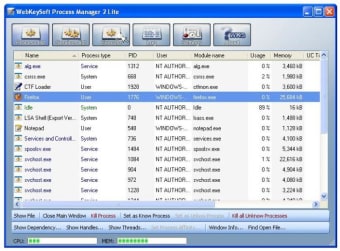
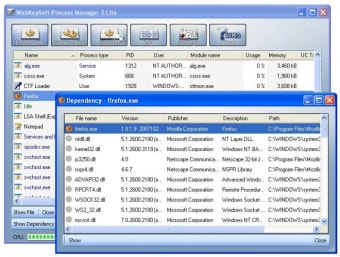
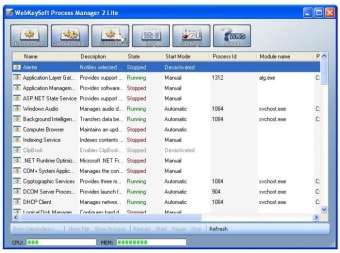
This piece of software displays a list with all the applications and processes that are currently active in your system. So far, there's nothing different from the Windows standard tool. But Process Manager goes a step beyond and offers extended information about each process, as long as some interesting options like the ability to show the file responsible for each process or a list of dependencies for each active process. This last feature comes in especially handy when you can't delete a file because it's being used by some unknown application.

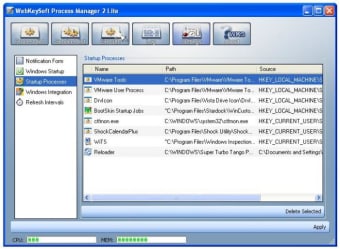
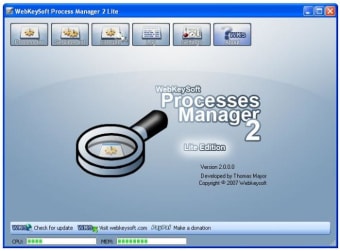
The program includes some other nice details, such as a couple of meters to show CPU and RAM usage and a startup list where you can see the processes that are run when Windows launches. You can even configure it to replace the Windows standard task manager. But if there's something I would definitely change in Process Manager is its interface. The usual XP look would fit the program much better than that blueish skin.

Process Manager enables you to see what's going on in your computer with a high level of detail.

  • Pros

    • Extended information about each process
    • Displays file location and dependencies
    • Can be set to replace the standard task manager
  • Cons

    • Interface could be improved
 0/5

App specs

  • License

    Free

  • Version

    2.0

  • Latest update

  • Platform

    Windows

  • OS

    Windows XP

  • Language

    English

  • Downloads

    7.3K

    Last month's downloads

    • 4
  • Size

    1.39 MB

  • Developer

Program available in other languages


User reviews about Process Manager

Have you tried Process Manager? Be the first to leave your opinion!

You may also like

Alternatives to Process Manager

Explore Apps

Latest articles

Laws concerning the use of this software vary from country to country. We do not encourage or condone the use of this program if it is in violation of these laws.

Softonic
Your review for Process Manager
Softonic

Is Process Manager safe?

100/100

Score result: Clean

This file passed a comprehensive security scan using VirusTotal technology. It is safe to download.

  • Virus free
  • Spyware free
  • Malware free
  • Verified by Security Partners

    VirusTotal logo

Scan Info

Last scan
Saturday, December 30, 2023
Scan provider
VirusTotal · Full report

File Integrity

File
pm2lite_setup.zip
SHA256
62fd4d0d87692dc816d7be685ea5de1482a48a35e1b4272e47159122b7737ccb
SHA1
8eb022bafbbefbf6c2c9bc9a2b9c4f3287477319

Softonic security commitment

Process Manager has been thoroughly scanned by our advanced security systems and verified by industry-leading partners. This file comes from the official developer and has passed all our security checks, showing no signs of viruses, malware, or spyware.